
If you've opened Quizlet lately and hit a "go Plus to continue" screen in the middle of studying, you're not alone. Many students are now looking for a free Quizlet alternative that keeps every study mode unlocked, works on any device, and actually helps them remember what they learn. This guide compares the main options honestly, explains the science that makes flashcards work (spaced repetition and active recall), and shows how to move your Quizlet or Anki decks into a free app in a few minutes.
Quick answer: For a completely free alternative with every mode unlocked, use Cromagnon Study Studio. It runs in your browser with no account, uses the FSRS spaced-repetition algorithm, has eight study modes including Learn, Test-style practice exams and Match, imports Quizlet sets and Anki decks, and works offline. If you only study on a laptop and like tinkering, Anki is also excellent and free on desktop.
What students want from a Quizlet alternative#
Quizlet made flashcards mainstream, and it is still polished and easy to start with. But its free plan has become more limited over the years, with some study modes and features moved behind the paid plan, and ads between cards. When students switch, they usually want the same five things:
Every study mode free: flashcards, learn, test, match and written answers, not just flip cards.
Spaced repetition: the app should decide when to show each card, not just shuffle them.
Easy import: bring existing Quizlet sets across without retyping hundreds of cards.
Make cards from notes: turn a PDF, slides or a photo of notes into cards.
Any device, even offline: phone on the bus, laptop at the library, no signal in the exam hall corridor.
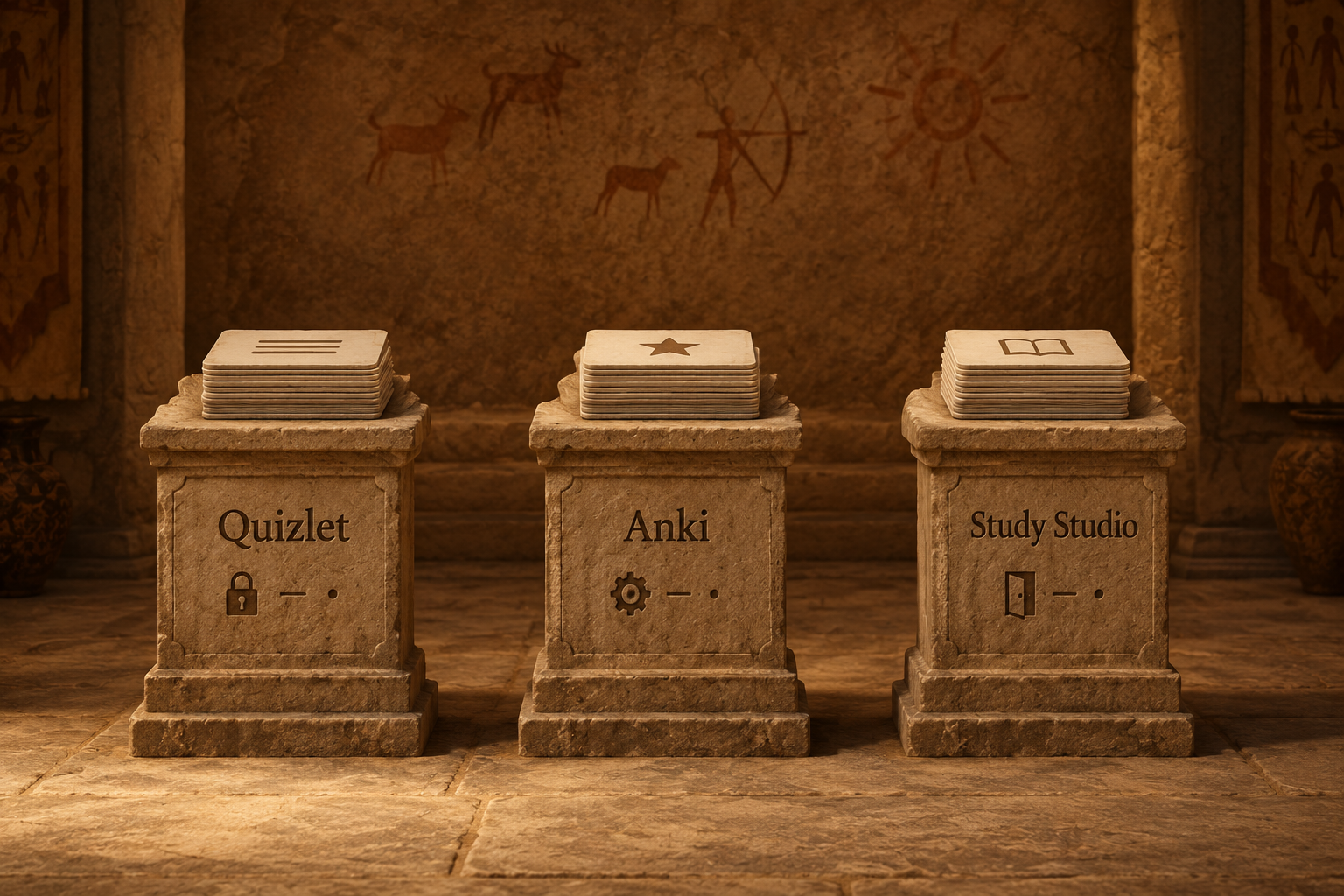
Quizlet vs Anki vs Cromagnon Study Studio#
Quizlet (free plan) | Anki | Cromagnon Study Studio | |
|---|---|---|---|
Price | Free with limits; paid plan for full features | Free on desktop, web and Android; paid iPhone app | Free, everything unlocked |
Spaced repetition | Basic | Yes (FSRS available) | Yes (FSRS) |
Study modes | Several, some limited | Flashcards (more with add-ons) | 8: Flashcards, Learn, Multiple choice, True/False, Type, Fill in the blank, Match, Voice |
Practice exams | Limited on free | With add-ons | Timed, auto-graded |
Make cards from PDF / photo | Some, paid features | Manual or add-ons | PDF, Word, PowerPoint, Excel, photo (OCR) |
Import Quizlet / Anki | n/a | Anki decks; Quizlet by export | Both |
Account needed | Yes | For sync | No (free account only for sync) |
Offline | App only | Yes | Yes (install as an app) |
Ads | Yes on free | No | No |
Honest verdict.
Quizlet has the biggest library of shared sets and a very smooth app.
Anki is the most customisable tool there is, and the favourite of medical students who live in it for years. It takes time to learn, though, and the iPhone app is paid.
Study Studio sits between them: as easy to start as Quizlet, with real spaced repetition like Anki, and nothing behind a paywall.
Why spaced repetition beats re-reading#
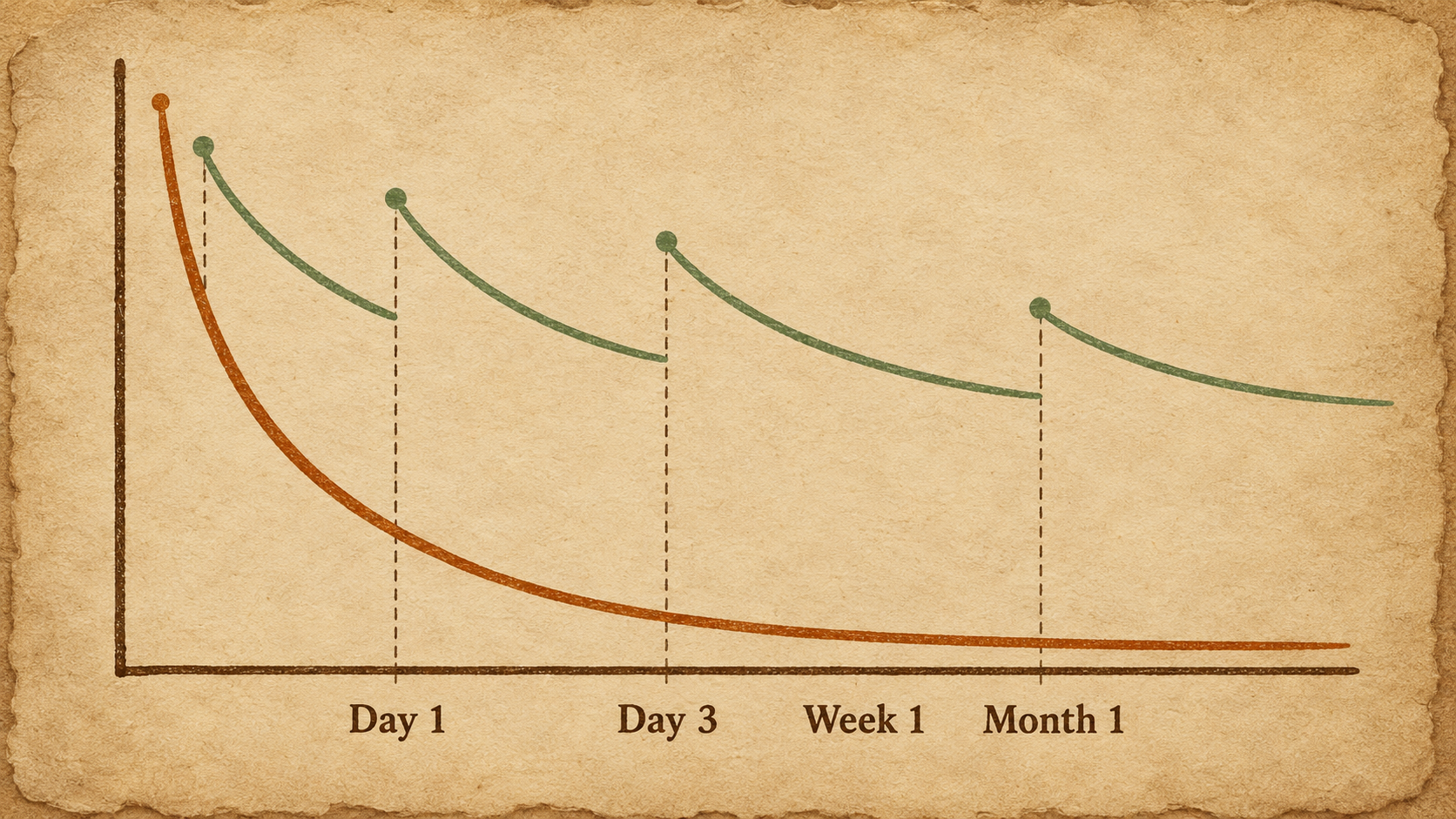
In 1885 the German psychologist Hermann Ebbinghaus measured how quickly he forgot lists he had learned. The result, the forgetting curve, showed that memory drops steeply within days unless the information is reviewed. He also found the cure: each review, timed just as you're starting to forget, makes the memory last longer than the time before.
That is spaced repetition. Instead of reviewing every card every day, you review each card at growing intervals: perhaps one day, then three, then a week, then a month. Cards you find hard come back often. Cards you know well come back rarely. You spend your time where it's needed.
The second ingredient is active recall: trying to answer before you see the answer. Decades of research on the "testing effect" show that pulling an answer from memory strengthens it far more than reading it again. That's why flashcards work and highlighting doesn't.
What is FSRS?#
FSRS (Free Spaced Repetition Scheduler) is a modern, open-source scheduling algorithm. It was trained on hundreds of millions of real reviews and is now used by Anki and other apps. For each card it estimates how likely you are to remember it today. It then schedules the next review for when that chance drops to your target, usually 90%. In practice, you do fewer reviews for the same result compared with older fixed-interval schedules.
Study Studio uses FSRS for every deck. You simply rate each card Again, Hard, Good or Easy, and the next review date is worked out for you.
How to move your Quizlet sets into Study Studio#
In Quizlet, open your set, choose ⋯ → Export, and copy the text. Quizlet offers Export on sets you created. For someone else's set, make a copy first.
Open Study Studio and go to Import.
Paste the text. Study Studio reads the term and definition on each line.
Check the preview, then press Create deck.
Have Anki decks? Export them as an .apkg file and drop it on the same Import page. Your cards, including images, come straight across.
Turn your notes, PDFs or photos into flashcards#
This is where you save the most time. On the Import page you can drop in:
A PDF of lecture slides or a textbook chapter
A Word file, PowerPoint deck or Excel sheet
A photo of handwritten or printed notes. The text is read in your browser with OCR.
Pasted text with one "term - definition" per line, or a CSV file
Study Studio finds definitions and question-and-answer pairs and makes cards from them. Check the cards it suggests, delete any you don't want, and create the deck. Notes written as clear definitions ("Osmosis is the movement of water…") give the best results.
The eight study modes, and when to use each#
Flashcards (spaced repetition): your daily review. A few minutes a day keeps everything fresh.
Learn: for a brand-new deck. It mixes question types and repeats what you get wrong until you know it.
Multiple choice and True/False: fast warm-ups and a quick check before class.
Type the answer: for spelling, vocabulary and formulas. Small typos are shown but accepted.
Fill in the blank: for definitions and quotes you need word-perfect.
Match: a timed game for terms and definitions. Good for the last 10 minutes of a session.
Voice mode: say the answer aloud, hands-free. Great for language learning.
Before the real exam, use Practice exam for a timed, auto-graded mock test with mixed questions. Then set your exam date in the Planner to get a daily plan and a forecast of how ready you'll be.

A simple study routine that works#
Make cards on the day you learn something. Keep one fact per card.
Use Learn once on new cards until they stick.
Review due cards daily, even if it's only 10 minutes. Study Studio shows only what's due.
Rate honestly. Press Again whenever you got it wrong, even if you were close. Honest ratings make the schedule work.
Test yourself a week before the exam with a practice exam, then focus on your weakest cards.
Works in 107 languages, on any device#
Study Studio supports cards in 107 languages, with read-aloud in each deck's language. That makes it a strong choice for learning vocabulary in Spanish, Arabic, Japanese, Urdu, French or Hindi. Install it on your phone or computer from the browser and it opens straight to your decks, even offline. Decks are saved on your device. A free account is only needed if you want them to sync between your phone and laptop.
Teachers can share decks with a class code and see how the class is getting on. Students can share any deck with friends through a link or QR code.
Frequently asked questions#
Is there a completely free alternative to Quizlet?#
Yes. Cromagnon Study Studio is free with every study mode unlocked, no ads and no account needed. Anki is free on desktop, the web and Android.
Can I import my Quizlet sets?#
Yes. Export the set's text from Quizlet, paste it into Study Studio's Import page and press Create deck.
Is spaced repetition better than Quizlet's Learn mode?#
They do different jobs. Learn mode is good for learning a new set quickly. Spaced repetition is what keeps it in your memory for weeks and months. Study Studio has both.
Does it work offline?#
Yes. Install Study Studio from your browser and study without a connection. Your decks are saved on your device.
What is the best spaced repetition app for free?#
For most students: Study Studio for ease and every mode free, or Anki for maximum customisation on a computer.
Start your first deck#
Pick the chapter you're studying this week, drop the PDF into Study Studio and have a deck ready in a minute. It's part of Cromagnon, a free online office suite that runs in your browser.
Keep reading
 guidesHow to Convert HEIC to JPG for Free (Windows, Mac, iPhone and Android)iPhone photos saved as HEIC won't open on many PCs and websites. Here's how to convert HEIC to JPG for free on any device, 100 photos at a time, with nothing uploaded.
 FeaturedguidesCromagnon: The Complete Guide to a Free Online Office Suite That Never Uploads Your FilesCromagnon is a free online office suite that works inside your browser. Here is every studio and tool, how privacy works, what is free and where to start.