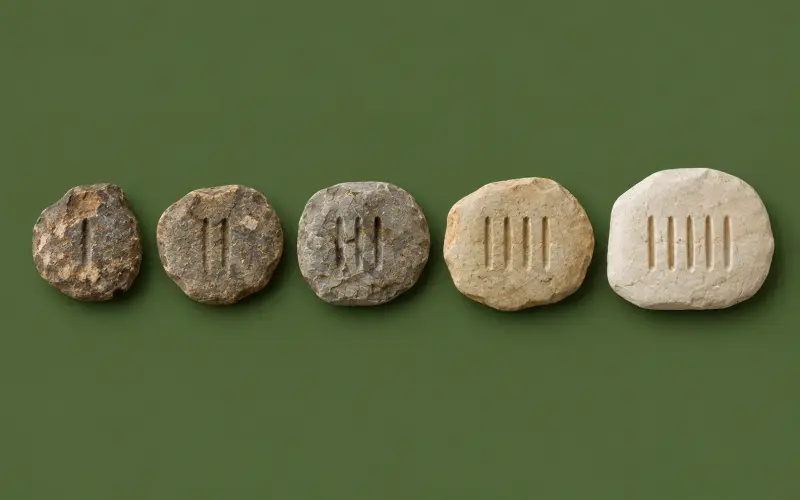
Cromagnon has a new look inspired by the first toolmakers: parchment pages, cave-dark headers, bone and red ochre, and old-book headings.
New
Site
The studios page opens with a catalogue of every studio, each with its own museum-object picture, followed by a full write-up of each one. Open →
New
Site
The pricing page now explains why everything is free, compares Cromagnon with typical online tools and paid suites, and answers more questions. Open →
Improved
Site
New pictures at the top of the tools, pricing, blog, FAQ, contact, changelog, status, extension and privacy pages, and tighter spacing on the home page.
Every studio now has a complete guide underneath it: features, step-by-step tutorials, tips and tricks, shortcuts, common fixes and answers to frequent questions.
New guides for the file viewer, log viewer, CSV cleaner, duplicate remover, column analyzer, Word text extractor, JSON ↔ CSV, cURL builder and robots.txt generator. Open →
Factur-X / ZUGFeRD invoices now pass the official PDF/A-3 check (veraPDF) and the EN 16931 business rules, for invoices, credit notes and debit notes, in any script.
Select people parts with on-device AI: face skin, body skin, hair, eyebrows, eye whites, iris, lips, teeth and clothes — for everyone in the photo, even in groups.
Batch: do the same job to up to 200 PDFs at once — rotate, flatten forms, page numbers, headers and footers, Bates numbers that continue from file to file, watermarks, remove metadata, split into pages, or protect with a password — and download one ZIP. Files that fail are listed with the reason, and the rest carry on.
Every PDF feature is now checked against a library of 27 tricky files: encrypted, damaged, cut-off, very old, rotated, form-filled, bookmarked, right-to-left and 300-page PDFs.
Teachers can give class decks a due date, download the class dashboard as a CSV file, and see a weak-topic report: the topics and cards the class finds hardest.
Photo → maths: take or choose a photo of printed maths, check what was read, then solve, calculate or graph it. Powers like x² are read too, and nothing is uploaded.
Open a CSV or Excel file in Statistics and Tests & fits and send any column of numbers to the right box; decimal commas, currencies and percentages are understood.
Links from about 50 major news sites around the world now get the paper's proper name, and government and international pages (WHO, UN, GOV.UK and government sites everywhere) get the right body as the author.
Expenses: add what your business spends, or snap the receipt and let your device read the payee, date, total and tax. Receipt photos stay on your device.
Profit & loss on the dashboard: sales, expenses, profit and margin for any period, by invoice date or by money in and out, with tax on sales and on expenses side by side.
Factur-X / ZUGFeRD: download any invoice, credit note or debit note as a PDF with the e-invoice data inside — the format used in France and Germany and accepted across the EU.
Debit notes: add an extra charge to an invoice you've already sent, in any of the 26 document languages and as a UBL e-invoice.
New
Site
A new name: Cromagnon. Humans have always been toolmakers; these are free tools for the modern one. Same studios, same privacy, and everything you saved in your browser comes with you.
New
Site
This changelog: every Cromagnon update since day one, filterable by studio and by new / improved / fixed, with an RSS feed. Open →
Mail merge, Excel charts, slide connectors and a blog
Finished mail merge: upload a CSV or Excel list, insert fields, address blocks and greeting lines, add IF rules, preview every letter, check for errors, then download one merged Word file or PDF, a file per person, or label sheets in Avery sizes.
Small everyday Word features: bigger / smaller text buttons, list and bullet styles, paragraph borders and shading, page-number formats, date formats and document properties.
Charts on the sheet — column, bar, line, area, pie, doughnut and scatter — that you can drag and resize, saved inside the XLSX as real Excel charts, and read back from Excel files.
Full conditional formatting (colour scales, data bars, icon sets, rules), data validation with dropdowns, and cell notes and links, all kept in the XLSX.
Compare two files, join tables, add a formula column, validate columns, find near-duplicates, see a data-quality report and build two-level pivot tables. Big files open without freezing the page.
Connectors (straight, elbow, curved) that stay attached to shapes, arrowheads, and a Selection Pane to rename, hide, lock and reorder everything on a slide.
New document presets, a Navigator, Liquify, a History panel, culling with ratings and flags, export presets with a watermark, a Filter gallery, gradient masks you drag, and Select Subject.
Quiz Maker for teachers: turn a deck into a quiz link with a timer and class list; answers are marked automatically and land in a gradebook you can download as CSV.
AI object removal, AI colourise for black-and-white photos, real RAW developing, Light / Dark / Black themes, a thumbnail filmstrip, and your own preset library with Lightroom .xmp import.
12 industry templates, time tracking straight into invoices, foreign-currency totals, commercial and retainer invoices, document history, and Word export that matches the page.
Scan a book's ISBN barcode with your camera, and the Cromagnon browser extension to cite any page. Open →
New
Site
Drop any file on the home page and the right studio opens with it. Open →
New
Accounts
Optional sync between devices for Document and Excel Studio, and a My Cromagnon overview.
Everything is free, plus AI with your own key
New
Site
Every studio and tool is free for everyone — no Pro plan, no trials, no limits — and every free account gets 50 MB of cloud files. Open →
New
AI
Bring your own AI key (Gemini, OpenRouter, Groq, OpenAI, Anthropic) or use your browser's built-in model. AI helps in PDF (summarise, ask questions), Excel (write or explain formulas), Presentation (outlines, speaker notes), Study, CSV, Citation, Document, Image and Math. You always see a preview first.
10 new free tools: slug generator, line sorter, email / URL / phone extractor, binary ↔ text, random numbers, date difference, time-zone converter, image to Base64, favicon generator and colour palette from an image.
Late fees, subtotal rows, payment presets and taxes from any country, landscape pages, and shared links with an end date, a password and an Accept-this-quote button.
New
Accounts
Download all your data, see your devices and sign out everywhere.
Drawn signatures, recurring invoices, several businesses, Word export, many documents at once as a ZIP or one PDF, examples for 15 trades, and Swiss QR-bills.
Word files open the way Word shows them: styles, colours, fonts, spacing, lists, merged tables, notes, comments, tracked changes, headers, footers and page setup.
Invoice Studio launched: quick start, 8 templates, clients, items and stock, payments, a dashboard and reports, 26 document languages, right-to-left layouts, payment QR codes and reminders.
A new editor with real pages, Page Setup, themes, a Word-style ribbon, references, comments, cover pages, equations, drop caps, track changes, versions, read aloud, dictation, accessibility checks and PDF, RTF and ODT.
The complete slide editor: real PowerPoint import, animations, 11 transitions, auto-advance, diagrams, links, video and sound, photo albums, equations, sections, comments, a second-screen presenter view, outline view and .ppsx.
A Lightroom-style Edit panel with point curves and colour wheels, Presets, Crop, Remove and Masks panels, Point Color, Upright, profiles, HDR and chromatic-aberration fixes.
Downloads match the screen, the original is always kept, ID photos, compress to a target size, HEIC and RAW import, colour LUTs, spot heal, clone stamp, object removal, face detection and People / Background / Sky masks, and a phone layout with pinch zoom.
New
Site
Each studio has its own address, like /studios/pdf-studio.
Installable app and Study Studio scheduling
New
Site
Install Cromagnon as an app that works offline (Study Studio first).
New
Site
Open and save files from Google Drive in the studios' Cloud menu.
Open Excel and JSON, drag and drop, autosave, a fast grid for big files, charts, PDF export, sorting, filters, de-duplication, pivots, dates and merging — and it works on phones.
Math Studio launched: scientific calculator, step-by-step solver, graphing, unit converter, statistics, matrices, derivatives and integrals with steps, systems of equations, geometry and finance.
Image Studio launched, free: crop and transform, tone and colour grading, sharpening and noise reduction, effects, local adjustments, layers and on-device AI.
PDF Studio launched: read, annotate, draw on and export PDFs without uploading them.
New
Site
A five-file workspace with tabs, 100 MB files, and a universal file viewer.
Cromagnon begins
New
Site
Cromagnon started as a free tools platform: spreadsheet checks, Office and text file inspection, and a catalogue of tools that open straight in your browser. Open →